E‑Certify User Guide
The Clerk of the Circuit Court & Comptroller, Palm Beach County, offers redacted Electronic Certified Court Documents for purchase on the Clerk's website. Clerk e‑Certify is software used to generate tamper‑proof and self‑validating certified copies of Court Records.
Introduction
E‑Certify
The Clerk of the Circuit Court & Comptroller, Palm Beach County, offers redacted Electronic Certified Court Documents for purchase on the Clerk's website. Clerk e‑Certify is accessible from any computer and on any web‑enabled smartphone or tablet. Each electronic certified document uses advanced encrypted features to produce a tamper‑proof electronic certified document that includes a unique Clerk of Court digital signature.
With Clerk e‑Certify:
- Users can order and immediately receive certified copies of redacted court records through a secure web portal.
- Recipients at government agencies, public institutions, banks, and other entities can easily authenticate the electronic certificates and confirm that the documents were not altered.
- Parties who receive the eCertified documents from a customer can authenticate them anytime from anywhere using a clickable link on the document's cover page or scanning the QR code on the cover page with their smartphone to authenticate the document online.
Some records have statutory or court‑ordered viewing restrictions and might not be viewable online. The purpose of this document is to provide guidelines for purchasing easy‑to‑obtain, tamper‑proof court documents. Guidelines are also provided on authentication of the certified documents.
Electronic certification is new technology and the Clerk’s office is partnering with government agencies and other institutions to educate them on the technology and its benefits, including but not limited to security. Always verify that the agency you are procuring the document for accepts eCertified documents. In the event that the establishment does not accept these documents, you will be required to purchase your certified document(s) in person at our Records Services Department in Room 4.2500 or any one of our branch locations.
NOTE: If you have already procured an electronic copy that was not accepted by an institution, the Clerk’s office will provide a manually stamped certified document free of charge.
Frequently Asked Questions
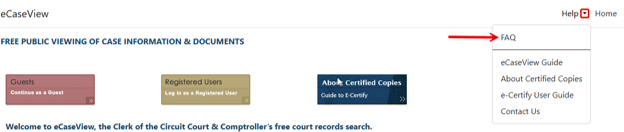
The Clerk of the Circuit Court & Comptroller website has answers to many Frequently Asked Questions about eCaseView. If you have a question or need help, please look there and contact us if you still need help.
Questions? Need Help?
If you are having access issues, please contact the Clerk of the Circuit Court & Comptroller’s office at: eCaseView‑Support@mypalmbeachclerk.com.
e‑Certify
Ordering a Certified Copy of a Document
- Navigate to the available docket entry with an image on the Dockets & Document tab. NOTE: Docket entries without an icon have no images available.
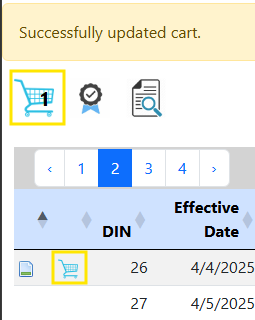
- Click the shopping cart icon to order a certified image of that document. NOTE: Users may add more than one document to their cart for purchase.
-
When completed, click the shopping cart icon to review all the documents and proceed to checkout.
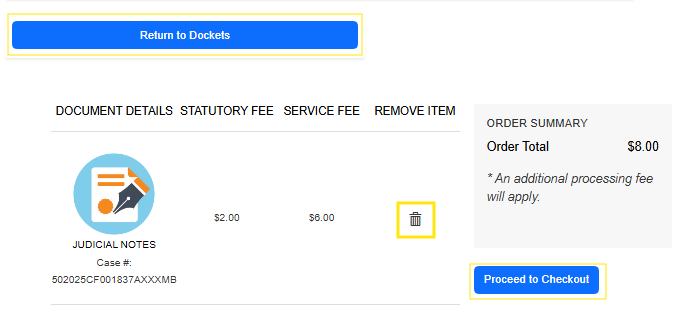
- The following screen will populate. NOTE: Electronic certified copies are $8 per document, which includes a $2 statutory fee plus a $6 service fee. A 3.5% payment processing fee applies to credit/debit cards, Google Pay, and Apple Pay. Proceed to checkout.
-
To remove a document from the cart, click the recycle bin
 icon in the right‑most column of the cart list.
- To go back to the dockets list, click the Return to Dockets button.
-
To check out and complete payment, click the Proceed to Checkout button.
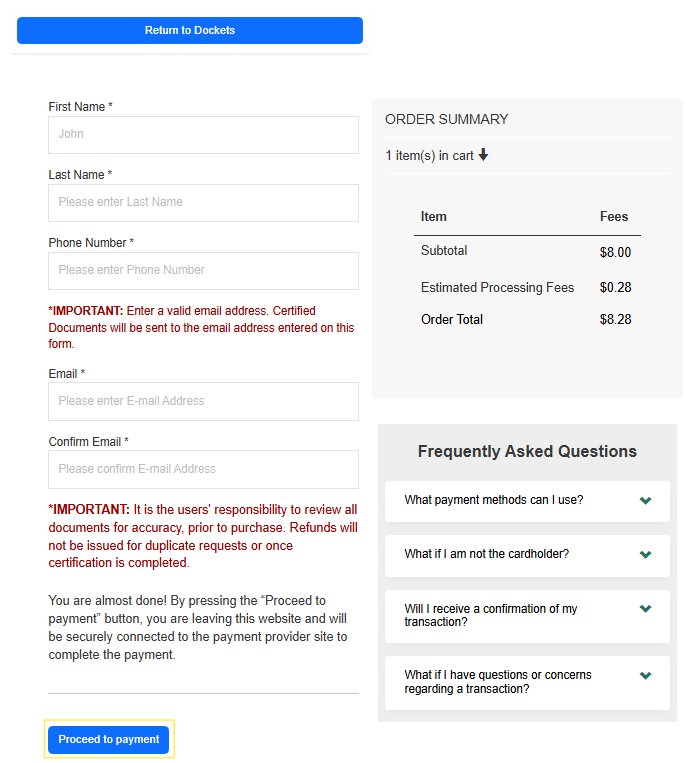
- The summary of the transaction screen will display. Enter the required information. Click Proceed to Payment to continue.
NOTE: User must enter a valid email address. Certified documents will be sent to the email address entered on this form. It is the user’s responsibility to review all documents for accuracy prior to purchase. Refunds will not be issued for duplicate requests or once certification is completed.
NOTE: Recorded items display a book and page number in the docket entry; however, the image will not display the recorded document or recording stamp. If you need to order a certified copy of a recorded document, visit Copies and Records Research .
e‑Certify Payment
-
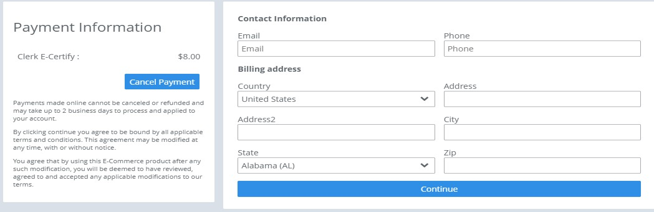
Enter the required payment information and click Continue.
NOTE: Users may cancel payment by selecting the Cancel Payment button.
-
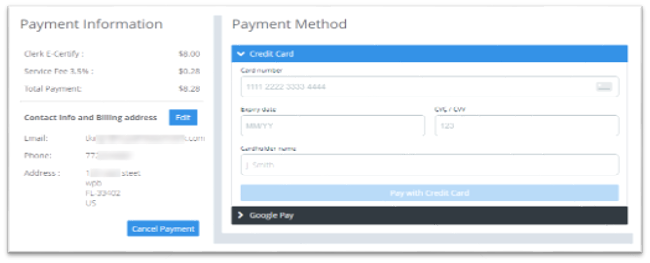
The Payment Method window displays. Select the applicable payment method to complete the transaction.
Users may pay using the following methods:
- Credit Card
- Debit Card
- Google Pay
- Apple Pay (This option will only display on a supported device.)
-
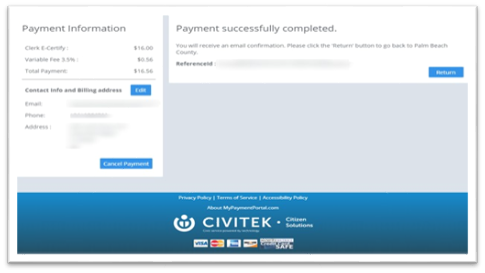
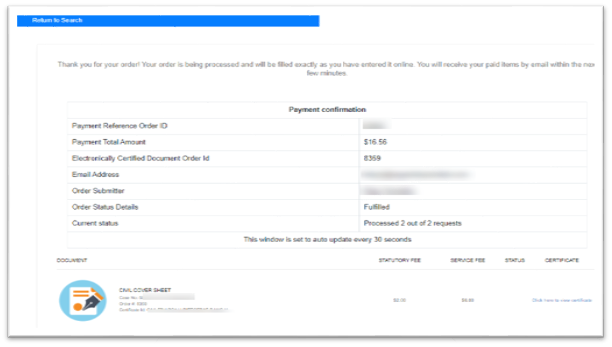
The payment confirmation window will display once the payment successfully completes.
(The Payment Information will update based on the payment selection made.)
-
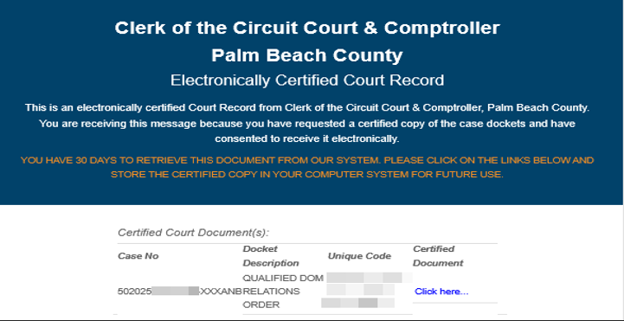
Users will receive two emails: one with the transaction receipt and one with the documents ordered.
A customer has 30 days from the date of payment to retrieve the document sent via email.
A customer may save the certified copy on their personal computer for future use.
Certified Documents
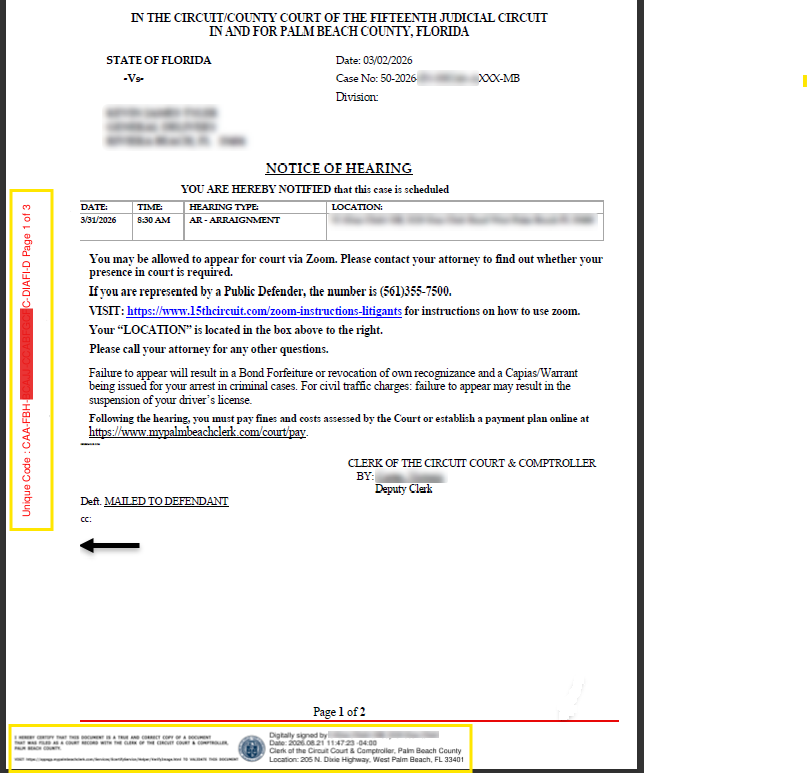
A certified copy of a court record will include a cover page with document information. The cover page includes steps to verify the certified document using the generated QR code and linked website.
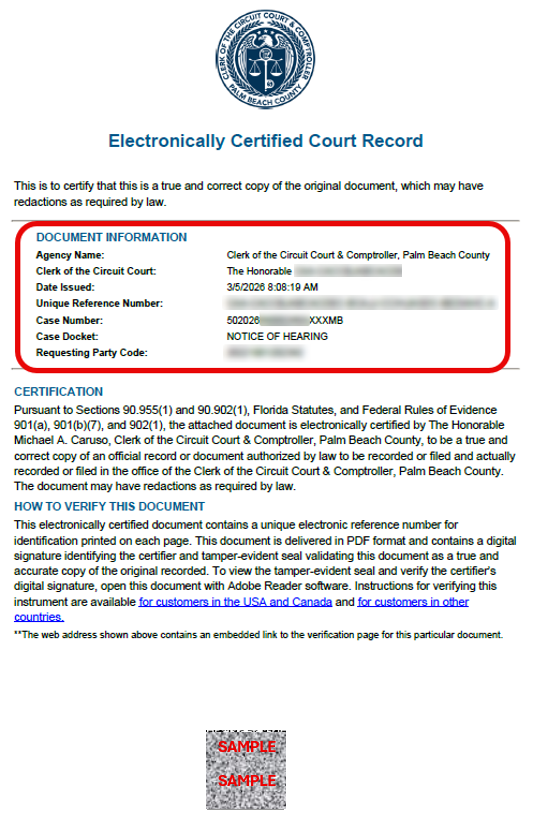
Once a document is electronically certified, it will include a banner with a unique code as well as an electronic stamp and seal at the bottom of the document.